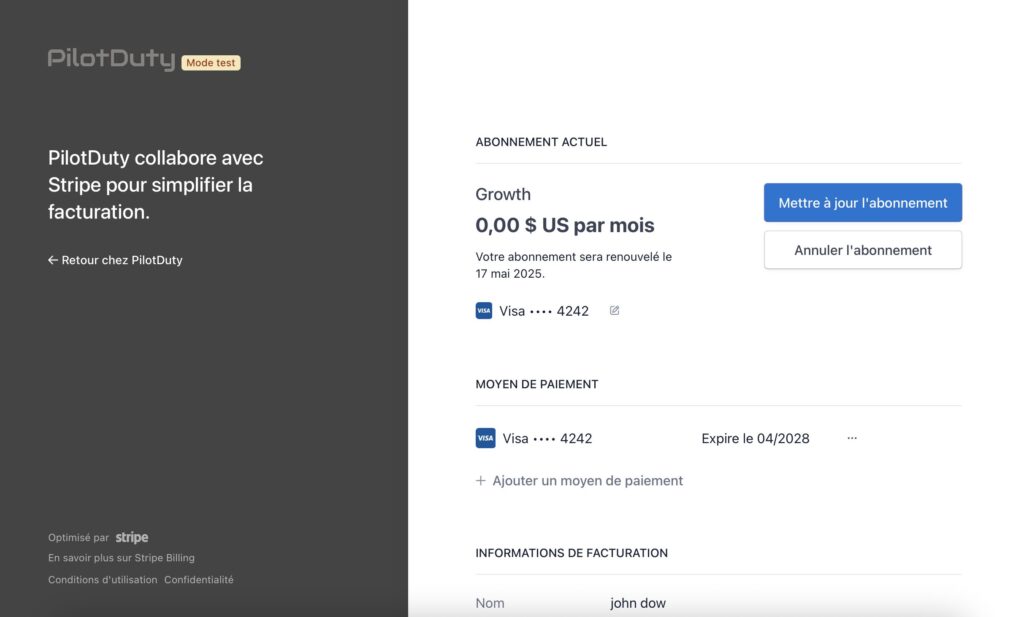
PilotDuty Manager uses Stripe to handle subscriptions securely.
With PilotDuty Manager, you can easily manage subscription details to ensure a smooth experience.
Learn how to manage subscription settings effectively.
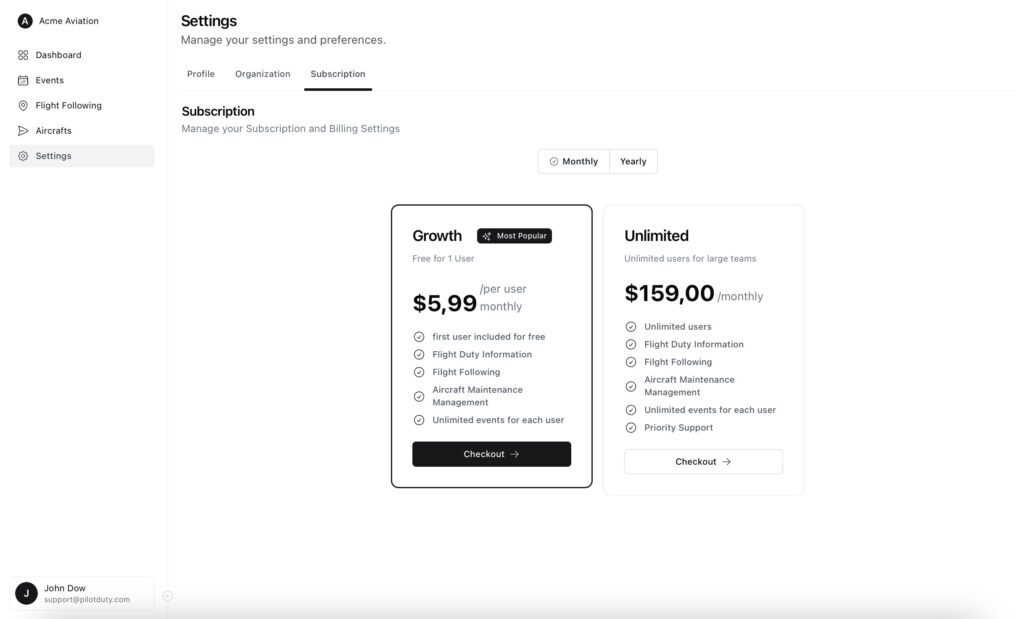
All subscription and billing operations are accessible under Settings > Subscription.
📦 Choose a Plan #
If no subscription is active, you’ll see available plans:
- Growth – $5.99/user/month (first user free)
- Unlimited – $159/month (for teams with unlimited users)
At the top of the Subscription screen, you can toggle between Monthly and Yearly billing options.
- Monthly: Pay every month; great for flexibility
- Yearly: Pay once a year and receive a discount over the monthly rate (when available)
Click Checkout to begin the subscription process.
📦 Plan Comparison — What’s Included? #
Growth Plan ($5.99/user/month): #
- ✅ First user is free
- ✈️ Flight Duty Information
- 🛰 Flight Following
- 🛠 Aircraft Maintenance Management
- 📅 Unlimited events for each user
Unlimited Plan ($159/month): #
- 👥 Unlimited users
- ✅ All features from Growth plan
- 🔄 Unlimited event creation for all users
- 🆘 Priority Support
Choose Growth if you’re a small organization just getting started.
Upgrade to Unlimited if you need scalability and team-wide access.
To help you further, we provide tips on how to manage subscription plans efficiently.
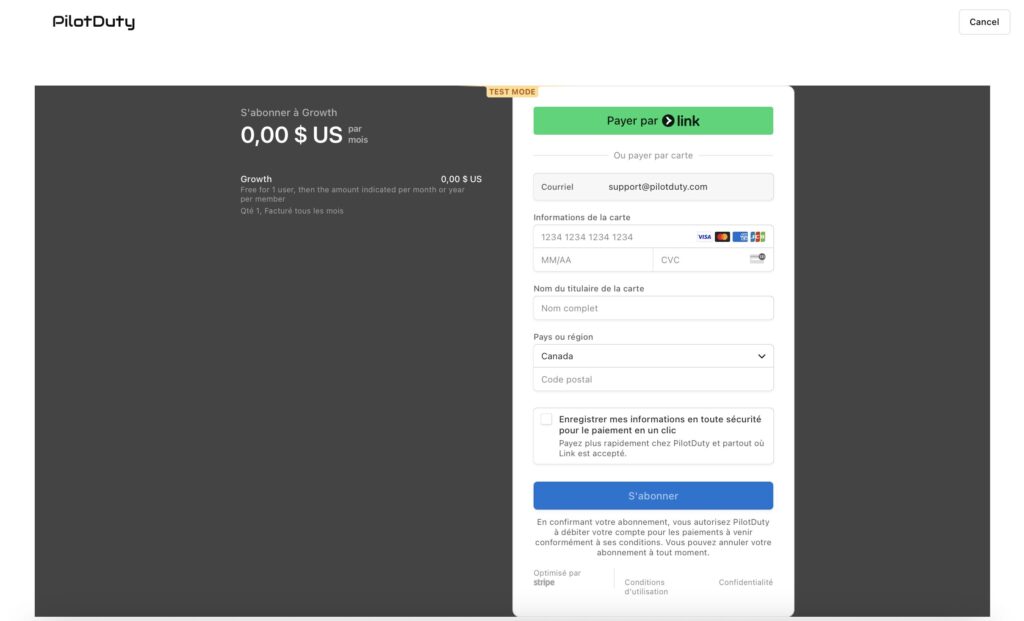
🧾 Enter Payment Details #
You will be redirected to a secure Stripe payment page.
Enter:
- Your email
- Credit card details
- Billing country and postal code
Click Subscribe to confirm your plan.
✅ Subscription Confirmed #
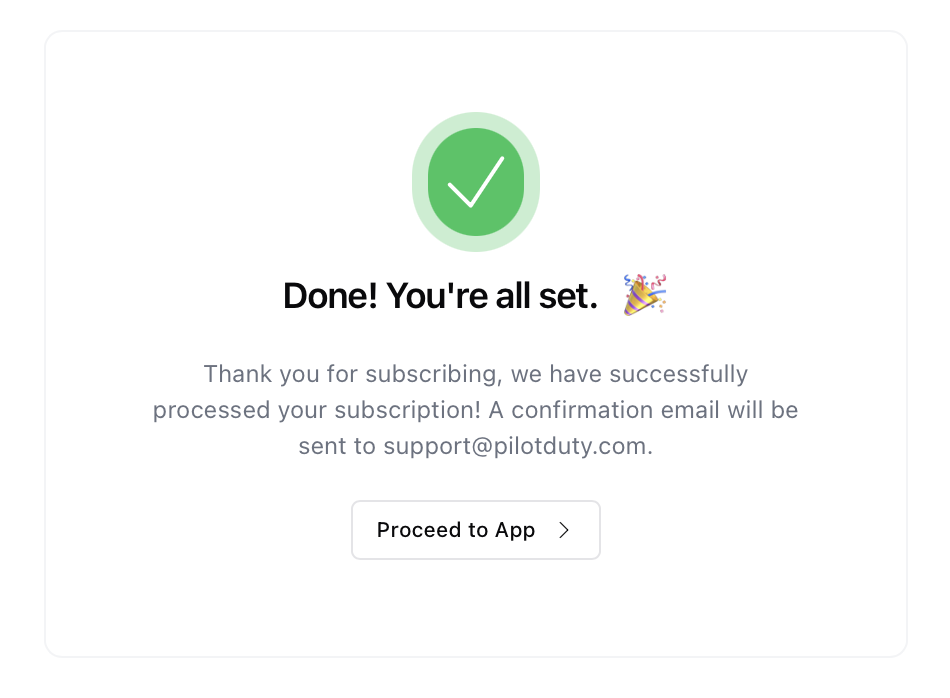
Once payment is processed, you’ll see a confirmation screen.
An email receipt will be sent to the billing email.
Click Proceed to App to return to PilotDuty Manager.
📊 View Active Subscription #
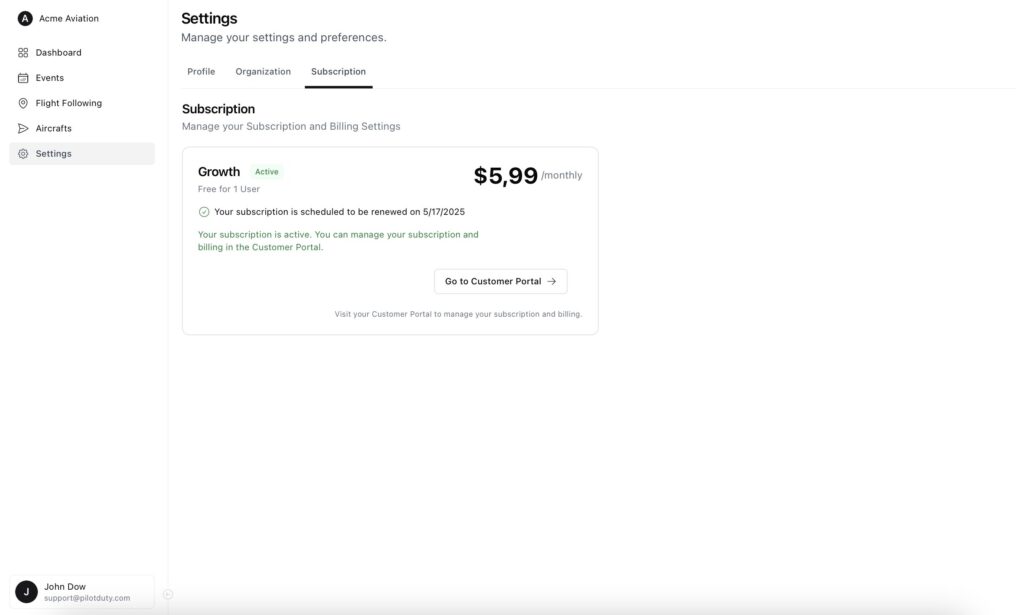
After subscribing, your current plan and renewal date will appear in the Subscription tab.
You’ll also have access to the Customer Portal to manage billing.
🔄 Customer Portal Access #
In the Customer Portal, you can:
- Update your payment method
- View or download invoices
- Cancel or change your subscription plan
- Add a backup card
All changes made here are instantly synchronized with your PilotDuty account.