
📋 How to Manage Workshops #
You can register and manage your supplier workshops directly in your organization’s settings. Learn how to Manage Workshops efficiently.
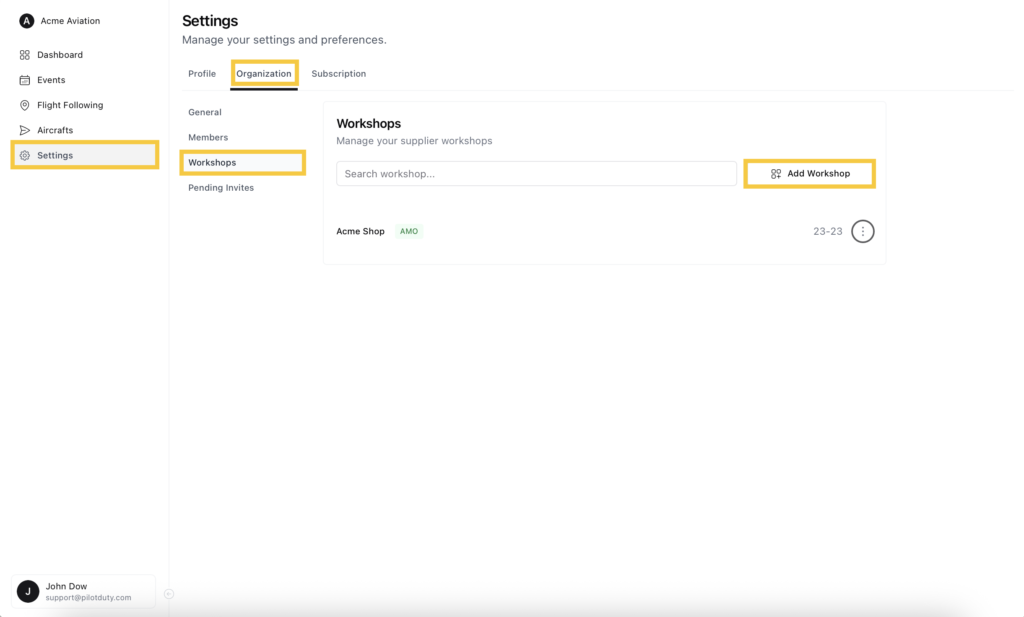
To begin, go to Settings > Organization > Workshops.
➕ Add a New Workshop #
From the Workshops section, click on Add Workshop.
This allows you to register an internal or third-party AMO (Approved Maintenance Organization) used for aircraft maintenance tracking.
✍️ Fill Workshop Information #
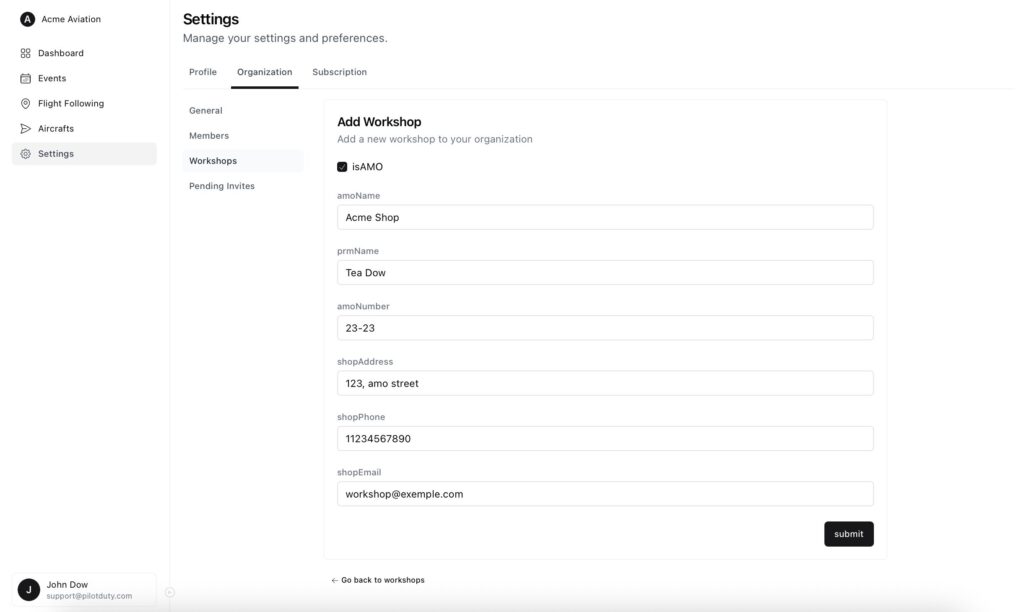
In the Add Workshop form, fill in the following fields:
- isAMO – Check this box if the workshop is an Approved Maintenance Organization
- amoName – Name of the maintenance shop
- prmName – Name of the Person Responsible for Maintenance
- amoNumber – AMO certificate number (if applicable)
- shopAddress – Physical address of the workshop
- shopPhone – Contact number
- shopEmail – Contact email address
Click Submit to save and register the workshop.
🔧 Once saved, workshops can be linked to aircraft maintenance records for easier audit, compliance, and tracking.

