📊 Edit Organization Profile #
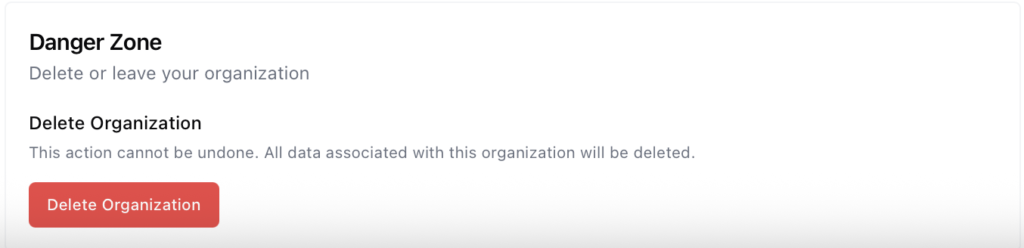
You can manage your organization’s identity and operational settings at any time through the Settings section in PilotDuty Manager.
📍 How to Access #
- In the left-hand menu, go to Settings.
- Click the Organization tab at the top.
- Make sure you are in the General section.
📝 Editable Fields #
In the General section, you can update the following:
- Organization Name – The display name of your organization
- Organization Address – Optional but useful for internal reference
- Organization Phone Number
- Organization Email
- Organization Operating Rules – Choose between Canadian or U.S. duty time regulations
- Upload Logo – Add your organization’s logo for branding and easier identification
Once all changes are made, click Update Organization to save.
❗ Danger Zone – Delete Organization
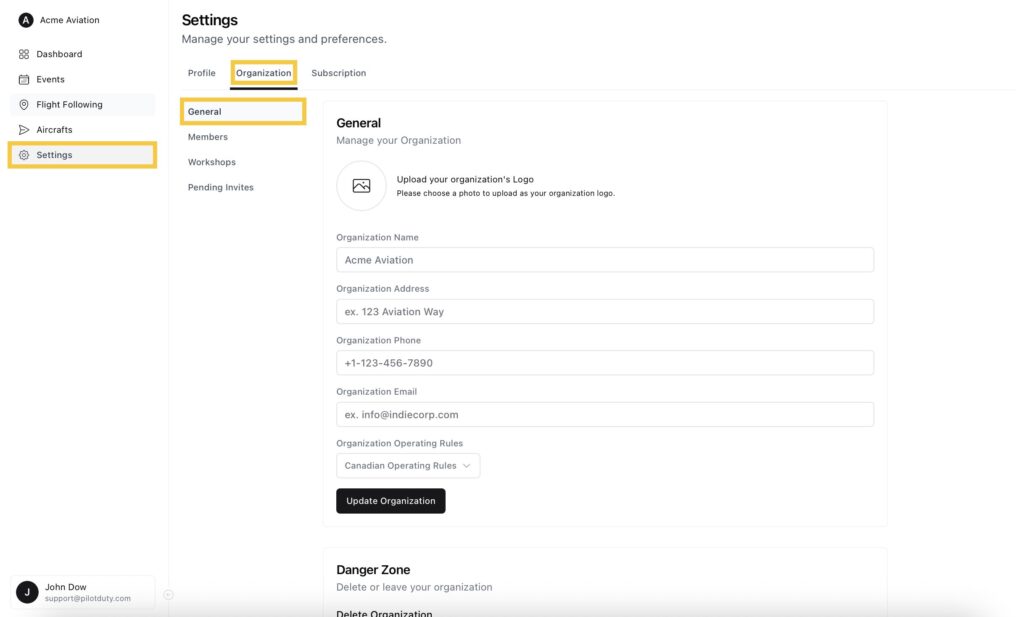
At the bottom of the General section, you’ll find the Danger Zone.
As an organization owner, you have the ability to permanently delete the organization.
⚠️ This action is irreversible.
All data associated with the organization — including users, aircraft, and events — will be permanently deleted.
Deleting the organization will also cancel any active subscriptions.